


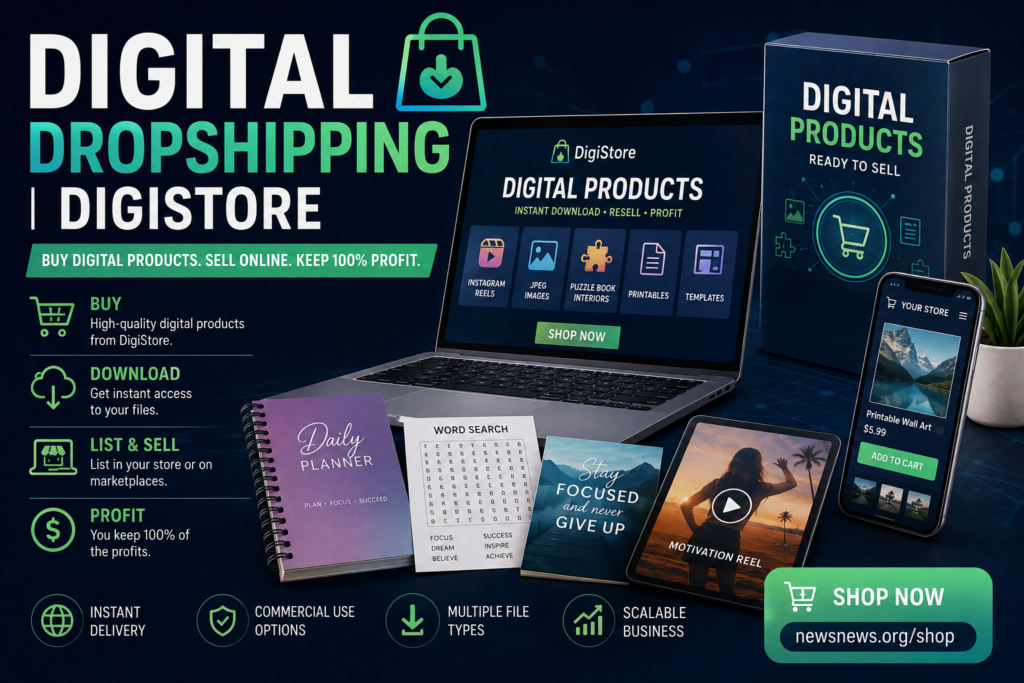
Digital Drop shipping | DigiStore
Buy Digital Products. Sell Online. Build Your Digital Business.
Digital Drop shipping | DigiStore. Want to start selling products online without buying physical inventory, storing boxes, or dealing with shipping? Digital dropshipping gives you another way to build an online business by selling downloadable digital products such as digital images, Instagram Reels, social media content, printables, puzzle book interiors, journals, graphics, templates, ebooks, and other digital downloads.
With DigiStore, you can find digital products you can purchase and use as part of your online business. Start by visiting our store and browsing the available products:
Visit DigiStore and Browse Digital Products
The basic process is simple:
Buy → Download → Prepare → List → Promote → Sell
Step 1: Find a Digital Product
Start by visiting the DigiStore shop and looking through the available digital products.
You may find products such as:
- Digital images
- JPEG images
- Digital artwork
- Instagram Reels
- Social media content
- Printable products
- Puzzle book interiors
- Word search puzzles
- Sudoku products
- Journal interiors
- Planner pages
- Templates
- Marketing graphics
- Business resources
- Ebooks
- Digital downloads
- Creative content
Choose products that have a clear purpose and that you believe people will want to buy.
Think about your target customer before purchasing. A product that solves a specific problem or saves someone time can be easier to market than a product with no clear audience.
Step 2: Purchase and Download the Product
After finding a product you want, purchase it through DigiStore.
Once your purchase is completed, follow the product instructions to access and download your digital files.
Save your files somewhere organized on your computer or cloud storage.
Create folders such as:
Digital Drop shipping | DigiStore Digital Products
→ Instagram Reels
→ JPEG Images
→ Printables
→ Puzzle Books
→ Journals
→ Templates
→ Marketing Materials
Keeping your digital products organized will make it much easier when you’re ready to create your listings.
Step 3: Check the Product License
This step is extremely important.
Before you resell, modify, publish, or distribute a digital product, read the specific license and usage terms that come with that product.
Not every digital product automatically gives you the right to resell the original file.
Some products may allow commercial use. Others may allow modification. Some may be designed for publishing or use in your own products. Other products may have restrictions.
Always follow the license provided with the individual product.
If resale rights or commercial rights are included, follow those terms exactly.
Step 4: Prepare Your Product for Sale
Once you’ve confirmed that the product can be used for your intended business purpose, prepare it for your customers.
Give your product a clear name.
For example:
50 Printable Puzzle Pages for Adults
or:
Social Media Instagram Reel Content Pack
or:
100 Printable JPEG Quote Graphics
Your product title should tell potential customers what they’re getting.
Create a good product description explaining:
- What the product is
- What files are included
- Who the product is for
- How the product can be used
- File formats
- Number of files or pages
- Product dimensions, when applicable
- Software requirements, if applicable
- Licensing information
- What the customer receives after purchase
The clearer your description is, the easier it is for customers to understand the value of your product.
Step 5: Choose Where to Sell
There are many places where digital products can potentially be sold.
You can sell through your own website or online store, digital marketplaces, creator platforms, social media, or other websites that allow digital downloads.
Possible selling channels include:
- Your own website
- Online stores
- Digital marketplaces
- Social media
- TikTok
- YouTube
- Email marketing
- Blogs
- Affiliate marketing
- Online communities where promotion is permitted
Your own website can be particularly useful because you have greater control over your branding, product presentation, customers, and marketing strategy.
Step 6: Digital Drop shipping | DigiStore. Price Your Digital Product
Pricing is one of the most important parts of selling digital products.
Don’t automatically choose the cheapest price.
Instead, consider the value of the product, the amount of content included, the quality, your target customer, competing products, and your overall business costs.
For example, a small digital download might sell for a few dollars, while a larger bundle containing hundreds of files could command a higher price.
You can also create different product levels.
For example:
Basic Pack — $5.99
Professional Pack — $12.99
Complete Bundle — $24.99
Bundles can be especially useful because customers may perceive more value when multiple related products are packaged together.
Your goal should be to create a price that customers consider reasonable while leaving enough room for your business to make a profit.
Step 7: Create an Attractive Product Listing
Your product listing needs to sell the value of the product.
Use a strong title containing relevant keywords such as:
Digital Products
Digital Downloads
Printable Products
Instagram Reels
JPEG Images
Puzzle Book Interiors
Social Media Content
Digital Templates
Commercial Use Digital Products
Digital Products to Sell Online
Don’t simply list features. Explain the benefits.
Instead of saying:
“100 JPEG files.”
Say:
“Get 100 ready-to-use JPEG graphics designed to help you create more social media content without starting from scratch.”
Show customers what problem your product solves.
Step 8: Promote Your Digital Products
Putting a digital product online does not guarantee sales.
You need to get people to see it.
Create promotional content for social media and your website.
For example, if you’re selling Instagram Reels, create short videos demonstrating what customers receive.
If you’re selling JPEG images, show examples.
If you’re selling puzzle book interiors, show sample puzzle pages.
If you’re selling printables, show the finished product being printed and used.
Use content marketing to bring potential customers to your product pages.
You can create: Digital Drop shipping | DigiStore
- Blog posts
- Instagram posts
- Instagram Reels
- TikTok videos
- Pinterest pins
- Facebook posts
- YouTube videos
- Email campaigns
- Product demonstrations
- Tutorials
- Reviews
- Comparison posts
Step 9: Use Keywords to Get Found
Search engine optimization can help people discover your digital products.
Use relevant keywords naturally in your product titles, descriptions, headings, image alt text, and website content.
Examples include:
digital products to sell
digital products online
best digital products to sell
digital downloads
printable digital products
digital products for entrepreneurs
Instagram Reels
social media content
JPEG images
digital graphics
puzzle book interiors
printable puzzles
journal interiors
digital templates
commercial use digital products
Don’t stuff keywords into your content. Write useful descriptions for real customers while naturally including phrases people may search for.
Step 10: Keep Marketing
One of the biggest mistakes new digital sellers make is listing a product and then waiting for customers to appear.
Marketing should continue after your product is published.
Create new content regularly.
Show customers different ways to use your products. Create tutorials. Demonstrate the product. Answer questions. Offer bundles. Run promotions when appropriate. Build an email list and encourage interested visitors to return.
The more useful content you create around your products, the more opportunities you have to reach potential buyers.
Start Your Digital Dropshipping Business
You don’t need a warehouse full of inventory to start exploring online selling.
Digital products can provide an opportunity to build a business around downloadable content, creative resources, social media assets, printables, publishing materials, graphics, and other digital products.
The process is straightforward:
1. Browse DigiStore.
2. Choose a digital product.
3. Purchase and download it.
4. Read and follow the product license.
5. Prepare the product for your target market.
6. Create an attractive product listing.
7. Set a competitive price.
8. Publish your product where you are permitted to sell it.
9. Promote it through your website and social media.
10. Continue marketing and improving your listings.
Ready to find your next digital product?
Shop Digital Products at DigiStore
Explore the store, discover digital products you can use in your online business, and start building your digital product strategy today.
Digital Products. Digital Downloads. Online Selling.
Find products. Build your listings. Promote your business. Reach customers. Grow your online store.
Digital Drop shipping | DigiStore
Digital Drop shipping | DigiStore
Shop
Shop new arrivals
-

Affiliate Marketing
$10.00 -
Chat Gpt Prompts
Original price was: $25.00.$15.00Current price is: $15.00. -

Digital Products
$12.00 -

Gorilla PNG
$8.00 -
How To Be an Affiliate In 2027
$5.00


- Human Verification
- Human Verification
- R360: Rebel series given ultimatum on overdue accounts
- Azerbaijan Grand Prix: Kimi Antonelli says qualifying crash ‘a good way to come back to earth’
- How ‘largest phone smuggling network’ was uncovered by Met


