



Adobe Photoshop now has an AI editor for people who’d rather prompt
Digital Trends
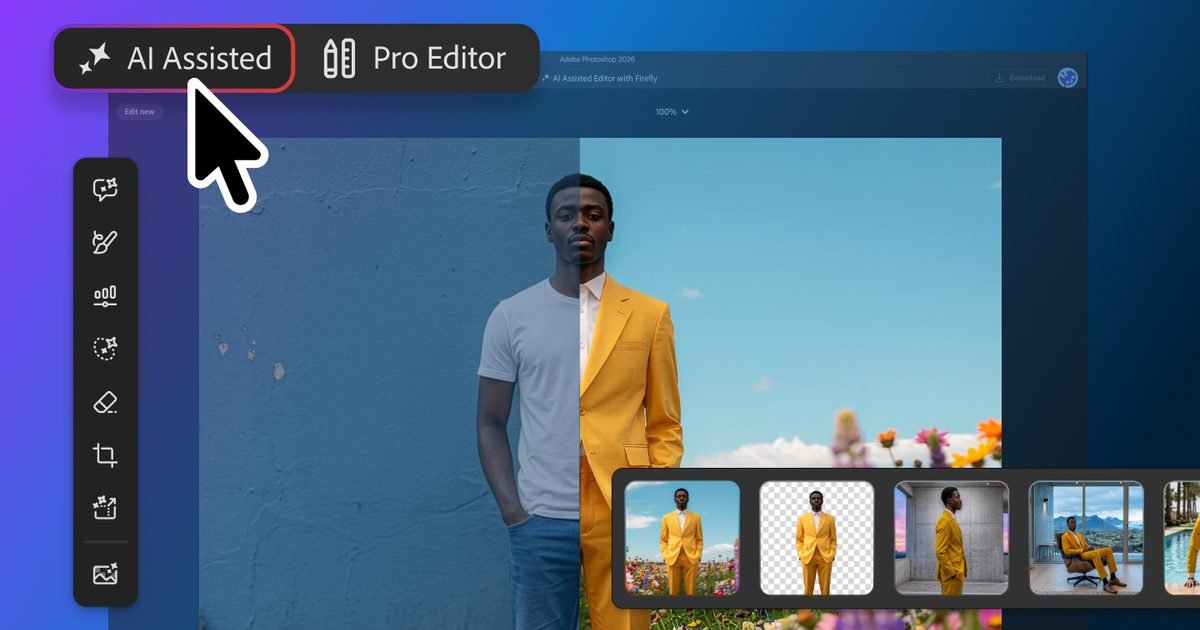
Adobe is giving Photoshop users a new way into the app without making them start with its full editing interface. The new AI Assisted Editor, launching in beta, centers a separate workspace around a natural-language prompt bar and several generative tools.
The traditional Pro Editor isn’t going away. Instead, the new workspace gives less experienced users a different starting point, where they can describe the change they want and let Photoshop handle more of the setup. It’s another step toward the kind of prompt-driven image editing that has increasingly turned creative software into something you can talk to.
What the AI editor actually does
The AI Assisted Editor brings common tasks into a prompt-first interface. You can remove a background or extend an image from a written instruction instead of setting up every step manually. It also includes Generative Fill, which can add, replace, or remove content.
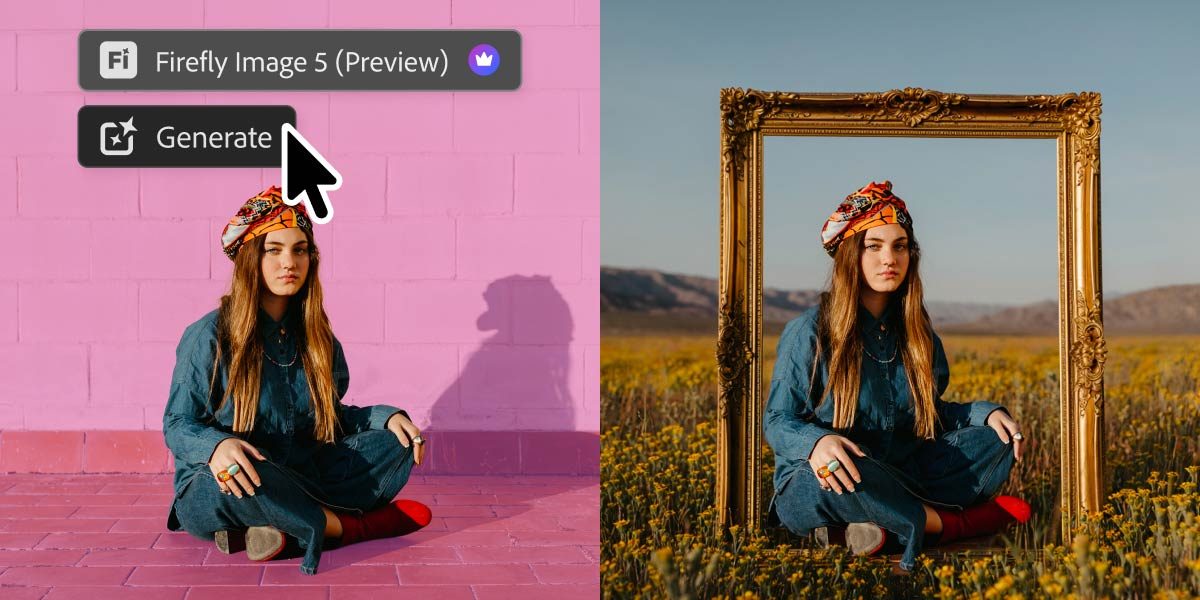
Prompt to Edit takes that idea further by changing an entire image without requiring a selection first. It also works inside the Pro Editor’s Contextual Task Bar, where Photoshop places each result in a generative layer so the edit stays organized and non-destructive.
Experienced users therefore don’t have to choose between the new AI workflow and the layer-based editor they already know. Adobe has been moving in this direction for a while, including its broader push toward conversational editing across Photoshop and its other creative apps.
Where the AI gets more precise
Adobe is also adding more control over where generated edits actually land.
Instruct Edit with Masks, powered by Firefly Image 5, can consider the full image while restricting changes to a masked area. Adobe gives opening someone’s closed eyes as one example, while keeping everything outside that area untouched.
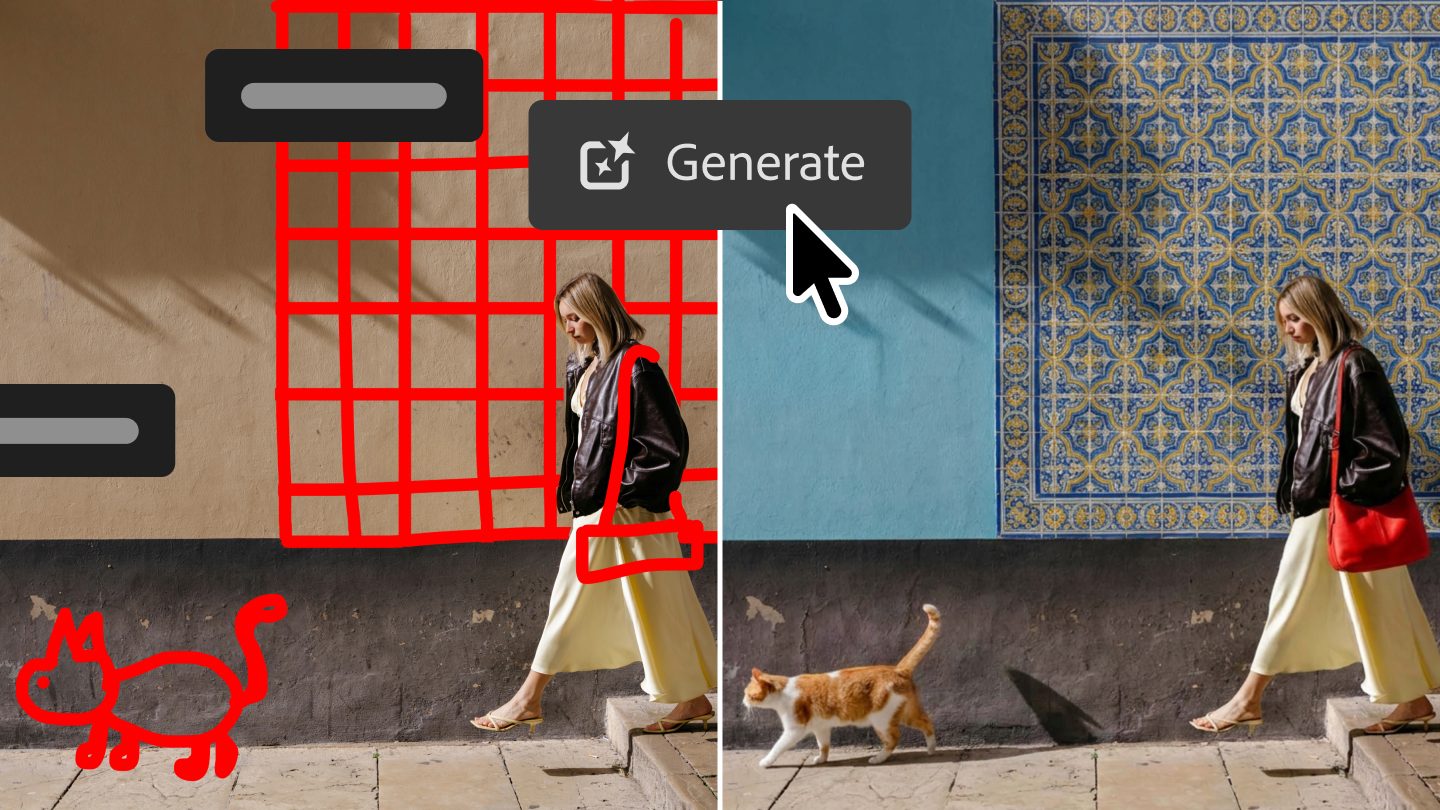
Markup tackles the same problem visually. You can draw over an image to indicate what should change or where something should go. That makes the process feel a little less like negotiating with a chatbot and more like actually directing an edit.
Photoshop itself is still getting upgrades
A new Light Adjustment Layer brings controls such as exposure and contrast into a non-destructive layer, giving users more room to make traditional adjustments without leaving the main Photoshop workflow.
Dynamic Text now works with custom shapes and paths. Adobe is also adding a dockable Stock panel that puts more than 900 million Adobe Stock assets directly inside Photoshop.
Taken together, the update gives Photoshop two clearer routes into the same kind of work. Experienced editors can stay in the Pro Editor, while people intimidated by Photoshop’s learning curve can start by describing what they want. For anyone still weighing Photoshop against other photo editing software, that lower-friction entry point changes one of the app’s biggest longstanding tradeoffs.
Adobe Photoshop now has an AI editor for people who’d rather prompt
Source link