




After switching to ChatGPT Voice, typing now feels painfully slow
Digital Trends
You already know the drill: it’s a new day, which means I’ve found yet another way to work ChatGPT into my everyday life. This time, it’s all about Voice. I’ve been using ChatGPT’s voice mode just about everywhere I can. It started on my phone, then moved to my laptop and desktop, and yes, I’ve even caught myself chatting with it through Apple CarPlay while driving. What began as something I opened occasionally has become part of my routine.
The timing couldn’t have been better, either. OpenAI recently introduced GPT-Live, its next-generation voice experience that’s designed to sound more natural and carry conversations much more intelligently. After spending so much time typing almost every prompt, being able to talk to ChatGPT feels surprisingly refreshing. It’s faster, more conversational, and, if I’m being honest, it’s also a welcome break for my fingers.
My thoughts finally found a willing audience
I’m a very talkative person, so building a feature around talking was a risky idea. The other day, I opened ChatGPT on my laptop, said a casual “hi,” and before I knew it, I was rambling about everything that had crossed my mind. It wasn’t even a proper conversation starter — I started talking, and ChatGPT patiently sat through what can only be described as an unfiltered stream of consciousness. That’s exactly why I’ve grown to love it. Whenever an idea pops into my head, I don’t have to scramble for a notes app or rush to type before I forget it. I open ChatGPT, start talking, and it faithfully transcribes everything I say. And I do mean everything — the “umms,” the awkward pauses, the half-finished thoughts, and the moments where I completely lose my train of thought. Somehow, it still manages to make sense of the chaos.
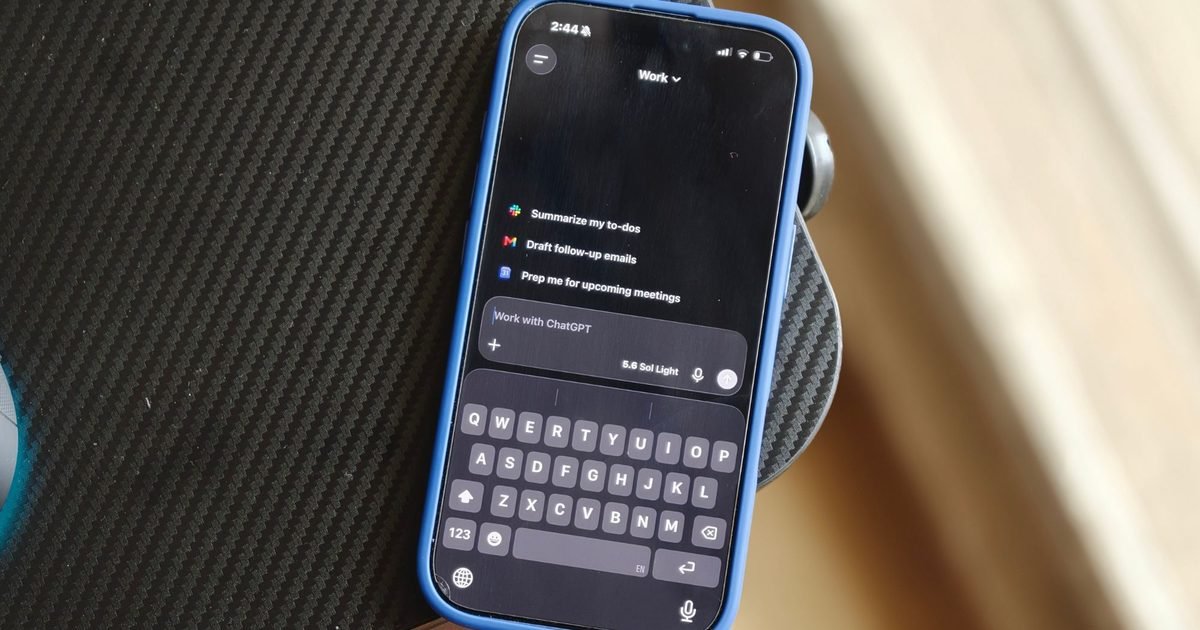
The experience goes beyond simple transcription, though. It feels like brainstorming with someone always willing to listen. I can throw out half-baked ideas, change direction, interrupt it, or ask follow-up questions, and the conversation keeps flowing naturally. Since there are multiple voices to choose from, I could even pick one that felt the most comfortable to chat with, which makes the whole experience feel a little more personal. Then there’s ChatGPT on Apple CarPlay, which is equal parts incredible and slightly absurd. On one hand, it’s genuinely useful. Long drives suddenly become brainstorming sessions where I can think out loud, bounce ideas around, or chat about whatever’s on my mind without taking my hands off the wheel. On the other hand, now and then I catch myself having a full-blown conversation with an AI in my car and think, Well… this is my life now. It honestly feels like someone is sitting in the passenger seat, happily entertaining every random thought that pops into my head.
I dictated chaos; it delivered clarity
OpenAI has also pushed the experience a step further by putting ChatGPT Voice right at the center of getting things done. If you’re comfortable granting the necessary permissions, it can even draft emails while you’re speaking. Instead of typing every sentence, you tell it what you want to say, choose that you’d like to draft an email, and start talking. Naturally, I had to put it to the test. I gave it access and spoke the way I normally would, with unfinished sentences, random interruptions, the occasional “wait, let me rephrase that,” and all the other little quirks that come with speaking instead of typing. Despite my less-than-perfect delivery, ChatGPT managed to piece everything together into a polished email that barely needed any editing. It somehow filtered out the chaos and kept the message coherent, which genuinely impressed me.

Moments like that make ChatGPT feel like an assistant I’ve always wanted sitting beside me. That said, I’m still a little cautious when it comes to giving AI access to work-related emails. It’s not that I don’t trust the technology — I prefer keeping an extra pair of eyes on anything professional before it goes out. But if you’re comfortable letting AI take on more of the heavy lifting, this is one of those features that’s capable and well worth trying.
My keyboard is officially unemployed
These days, ChatGPT Voice is the first thing I reach for whenever an idea pops into my head. In fact, I’ve reached the point where I type far less than I used to, and honestly, both my brain and my fingers are grateful for it. Instead of trying to squeeze an idea into a few carefully worded sentences, I can say what’s on my mind exactly as I’m thinking it. That’s the biggest difference I’ve noticed. When you type, you naturally start editing yourself. You delete words, rewrite sentences, and spend more time figuring out how to say something than actually saying it. Talking doesn’t work that way. Your tone, excitement, hesitation, and even those little “wait, that’s not what I meant” moments come through naturally. Somehow, ChatGPT still manages to understand the point you’re trying to make, even when you don’t explain it perfectly.
For me, that’s been a complete game-changer. Brainstorming feels more natural, ideas come together faster, and I no longer feel like the keyboard is slowing my thoughts down. It’s become such a natural part of my workflow that opening a blank text box now feels oddly old-fashioned. So, if you’ve never given ChatGPT Voice a proper try, consider this your sign. Start talking and see where the conversation goes. The only downside is that your family might walk past your room, hear you having a full-blown conversation with nobody in sight, and quietly conclude that it’s best to leave you alone.
After switching to ChatGPT Voice, typing now feels painfully slow
Source link